










Banja Luka City Info
Home Tourism Search Info
•How to Add Your Business Coming Soon •Creating Business Coupons Coming Soon
•Discount Coupons •Business Profile Types Coming Soon •Advertising & Promotion Coming Soon •Dnevni bonus
Highlights Contact
Search
How to Create an Account Banja Luka

Welcome

Create an Account
Unlock Perks

Create a free account to unlock City Info coupons, user features and the opportunity to promote your business on the platform.

Registration takes only a few minutes and can be completed using your Google account or email address.

Why Create a City Info Account?

One account gives you access to City Info coupons, user features and an easy way to present your business on the platform.

Discount Coupons

Reserve coupons and enjoy discounts and special offers.

Business Profiles

Present your business and attract new customers.

Featured Offers

Publish coupons, promotions and exclusive offers.

User Profile

Access all platform features from one place.

How to Create an Account

Choose the registration method that suits you best. A Google account is the fastest option, but you can also register using your email address.

Register with Google

Recommended

Click Use Google account, choose your Google account and confirm sign-in. Registration is completed in just a few seconds - no registration form, no new password and no email verification required.

Register with Email

If you prefer not to use a Google account, you can complete your registration by entering a few basic details in three simple steps.

1

Open the Registration Page

Open the registration page, enter the required information, accept the Terms and Conditions and click the Register button.
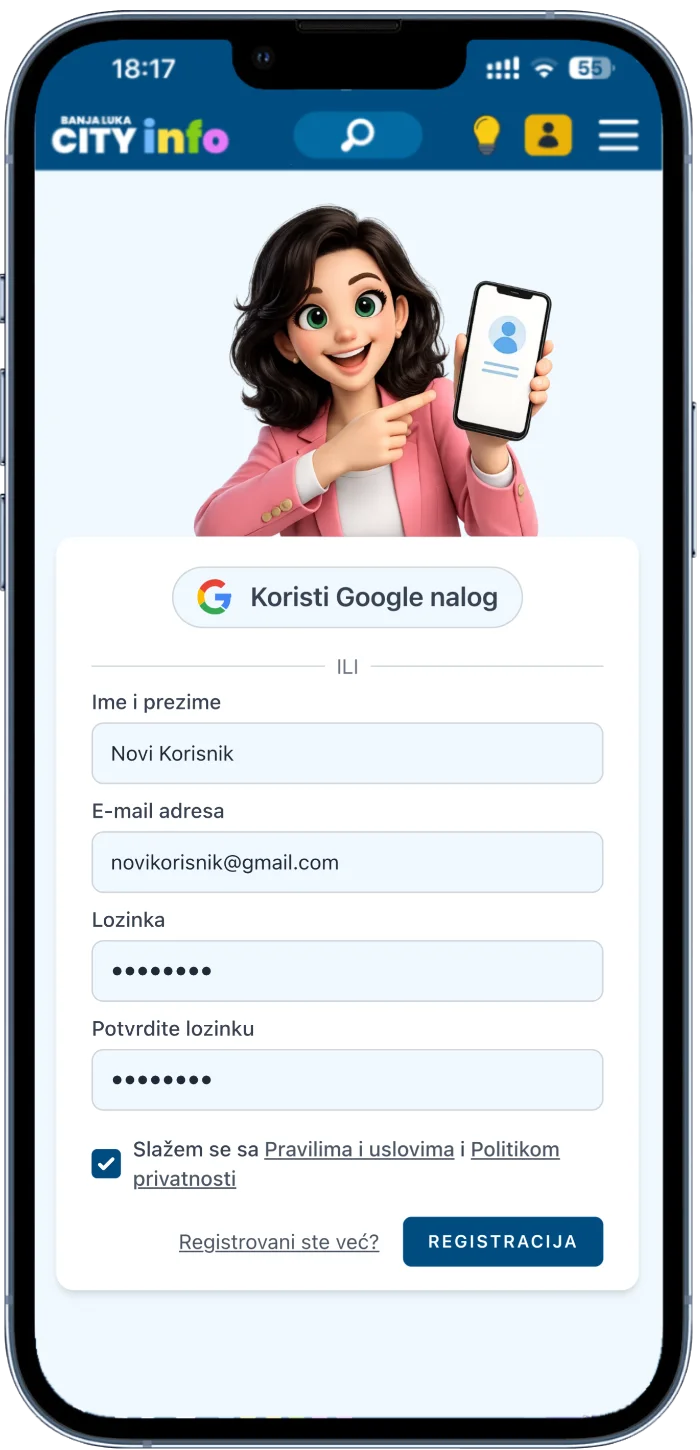
Opening the registration page

A verification email will be sent automatically after registration.
2

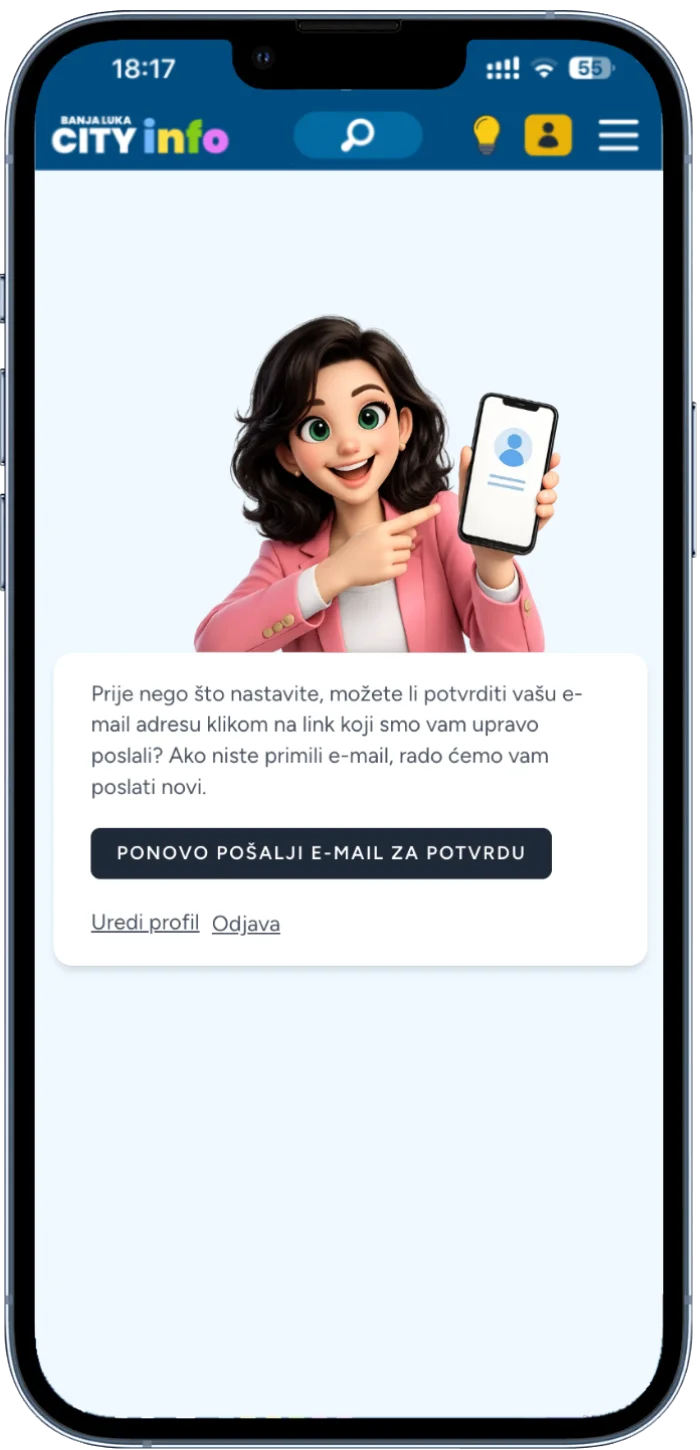
Verification Email Sent

A confirmation message will appear on the screen informing you that a verification email has been sent to the address you used during registration.

Completing the registration form

If the email does not arrive or the link expires, you can request a new verification email.

3

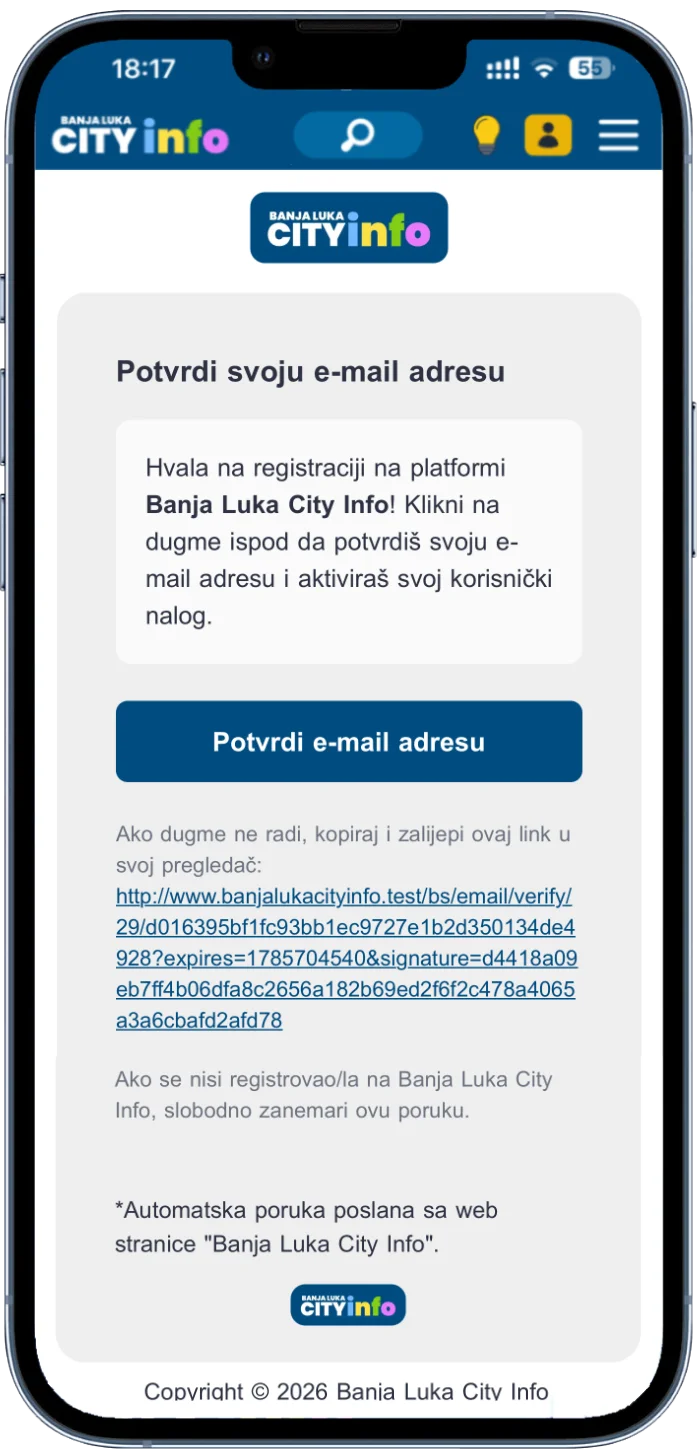
Verify Your Email Address

Open the email you received and click the Verify Email Address button to activate your user account.

Verifying your email address

Once your email address is verified, sign in and start using the platform.

Didn't Receive the Verification Email?

No email yet? Check your Spam, Promotions and Notifications folders. If you still cannot find it or the verification link has expired, request a new verification email.

Ready to Create Your Account?

Register for free and unlock all platform features.

Success Error Information